


Anime Shimeji Screen Pets
4.6286.00 Reviews
App Specs
- Version
- 1.10
- Updated On
- License
- Free
- Downloads
- 1,000,000+
- Developer
- NovaSoftLC Labs
- Categories
- Personalization
- Platform
- Android
Screenshots
 Analysis by AppCompare
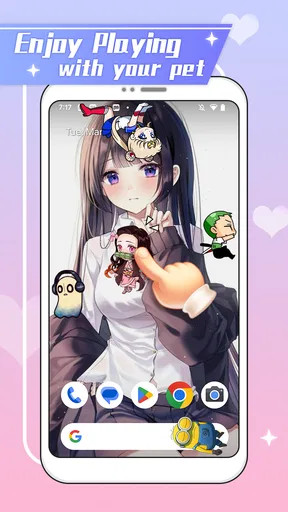
I find Anime Shimeji Screen Pets easiest to understand as a decorative layer for a phone, rather than a game or a conventional wallpaper app. Its appeal is the small burst of movement: anime-style companions wander over the screen while I go about ordinary tasks. That can make a familiar home screen feel more personal, though it also means the experience depends on whether you enjoy motion appearing alongside your usual icons and text.
What the moving characters add to a phone
Unlike a static wallpaper, a screen pet is meant to be noticed in passing. The characters’ roaming and reactions give the display a playful quality, and the simple idea is clear even if you have never used a shimeji app before. I would recommend trying it if you want a lighthearted visual change without replacing the way you organize or use your phone.
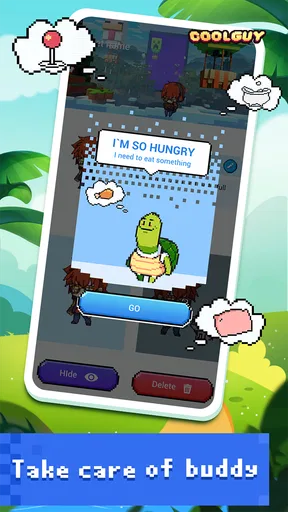
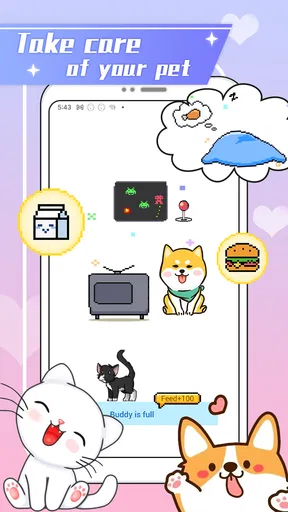
It is also worth setting expectations: this is a personalization app, not a pet-care simulation with a routine to maintain. The fun comes from seeing animated companions on screen, not from training them, completing levels, or building a long-term collection. If you prefer a quiet background that never competes for attention, a still image or a standard theme will probably suit you better.
Readability and navigation in everyday use
The idea is straightforward, but moving characters can affect how comfortably you read or tap around the display. When I am reading a long message, checking a small button, or trying to focus on a crowded screen, an animated figure crossing that area may feel distracting. A practical approach is to begin with one character and a modest size, then see how it feels during the tasks you actually do most often.
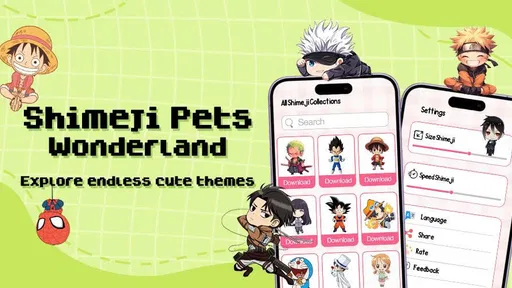
The app’s customization options, including character size, number of pets, and movement speed, give users a useful way to shape that visual presence. These settings matter more than they may first appear: a smaller character can preserve more clear screen space, while reducing the number of pets can make busy screens easier to scan. If the motion feels too lively, slowing it down is a sensible first adjustment rather than abandoning the app immediately.
Motor and sensory considerations
Interaction is part of the charm, but it may not be equally comfortable for everyone. People who find frequent movement tiring, who are sensitive to visual activity, or who need a very uncluttered display may prefer fewer characters or a slower pace. I would test the app during a calm moment, not while navigating an important task, and keep the option of switching back to a plain screen in mind.
For users who have difficulty with precise touch input, a character that overlaps a useful part of the display could create friction even if the pet itself is easy to understand. It helps to notice where the companions tend to gather and whether that interferes with the buttons, text, or app controls you rely on. The most comfortable setup is not necessarily the most animated one; it is the one that leaves your everyday phone use feeling effortless.
Worth Reading Before You Choose

EA SPORTS FC Mobile 26 Is a Bigger Football Game, but It Takes Time

Flipboard Shows What News Apps Must Do Beyond the Feed

Switching to Android Auto Means Rethinking Your Driving Routine

Google Calendar Makes a Crowded Week Easier to Manage

Ludo King Makes the Most of the Minutes Between Plans

Baby Panda World Brings Quick Play to Modern Phones, but Its Game Library Feels Busy
Situational access and practical trade-offs
A screen pet can be enjoyable when you are casually checking your phone, waiting between tasks, or showing a friend a bit of personality on your device. In a meeting, while reading closely, or when you need to move quickly through an app, the same movement may be unwelcome. I see it as a feature to enjoy on your terms, not something that needs to remain prominent in every situation.
That makes the app a better fit for people who like playful anime decoration and are comfortable adjusting how much visual activity they see. It is less suited to anyone who wants a strictly minimal interface, finds animation distracting, or expects the depth of a game. Compared with static wallpapers and icon themes, it offers more liveliness; compared with interactive games, it asks for much less attention but also offers less structured activity.
The best test is whether the characters brighten routine moments without getting in the way. I would start with a restrained setup, use the phone normally for a while, and make changes only when a real annoyance appears. That approach gives you a fair sense of the app’s appeal without turning customization into a project.
Meet Your New Screen Buddies
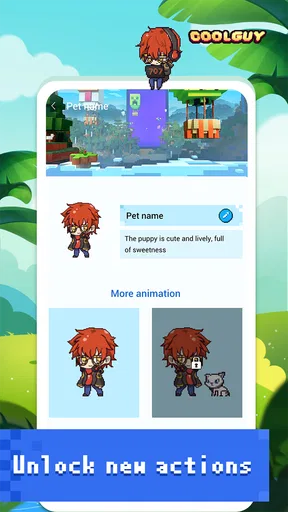
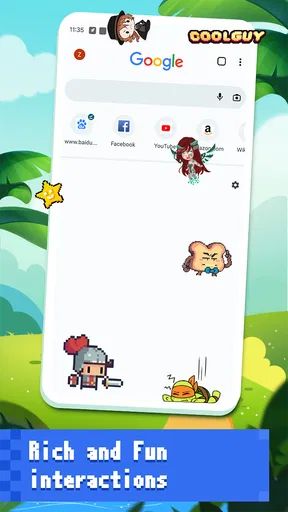
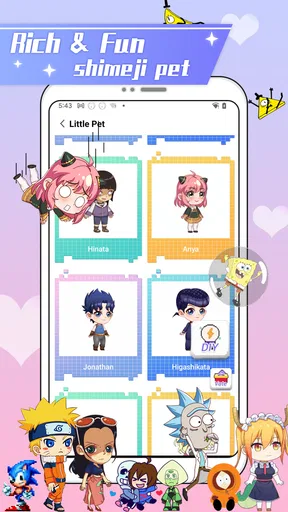
First off, who doesn't love anime? Whether you're a hardcore fan or a casual viewer, these charming little characters have a way of making you smile. Anime Shimeji Screen Pets offers a variety of characters you can choose from, each with their own unique animations and personalities. From mischievous cats to playful chibis, there's a screen pet for everyone.
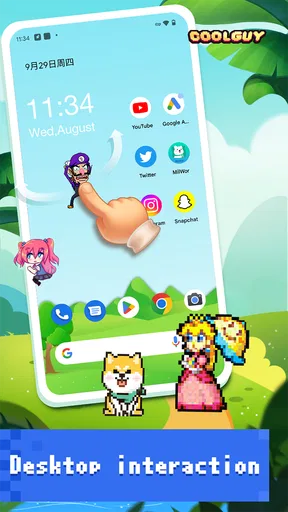
Once you've selected your favorite character, they'll start roaming around your screen, climbing windows, and even reacting to your touch. It's like having a digital pet that never needs feeding or cleaning up after. I mean, what's not to love?
Installation and Setup
Getting started with Anime Shimeji is a breeze. Simply download the app from the link provided on our site, install it, and you're ready to roll. The app guides you through the setup process, and before you know it, your screen will be bustling with activity.
One cool feature is the customization options. You can adjust the size of your shimeji, how many appear at once, and even their speed. This level of personalization adds a nice touch, letting you tailor the experience to your liking.
Features That Stand Out
What sets this app apart from other similar apps is its range of interactions. These little critters don’t just wander aimlessly; they engage with the elements on your screen, from text boxes to icons. It's genuinely entertaining to watch them climb and jump around as you navigate through your daily tasks.
Another noteworthy feature is the app’s low impact on your device. Despite the constant movement and animations, it’s optimized to ensure your battery life and performance aren't significantly affected. This means you can enjoy your screen pets without worrying about your phone slowing down or running out of juice too quickly.
How I would fit the pets into a normal day
On a typical morning, I might enjoy a character moving around while I check the time or glance at casual notifications. Later, when I need to read carefully or tap through several controls, I would reduce the visual activity or turn my attention to the task and leave the decoration for another moment. The useful distinction is between a quick glance, where the movement feels cheerful, and focused phone use, where even harmless animation can compete with what I am trying to do.
That makes a restrained setup a good starting point for more than one reason. One character at a smaller size lets me judge whether the animation crosses the places I use most, and a slower pace can make the screen feel less restless. If the app remains enjoyable under those conditions, I can gradually change the settings; if it only feels fun when the screen is crowded, I would consider whether that trade-off is worth it for my routine.
Who will enjoy it, and who may want another option
I can see this working especially well for anime fans who want a small, visible expression of their taste without changing their whole phone layout. It also makes sense for someone who likes decorative details and enjoys noticing little animations between tasks. The appeal is immediate, so it does not require a gaming habit or a complicated setup to understand why the characters are there.
On the other hand, someone who depends on a calm, highly readable screen may be happier with a static wallpaper or a simple theme. Those alternatives provide personalization without movement crossing the display. If you want goals, challenges, or a character that develops through regular play, a dedicated game is a better match; the screen pets are decoration and amusement, not a substitute for that kind of experience.
A useful question before installing is whether you want the characters visible all the time or only as an occasional novelty. If the answer is “only sometimes,” the app may still be appealing, but it is worth thinking about whether you will enjoy adjusting the setup to suit different situations. If you want a completely hands-off visual choice, a static background asks less of you.
What to check before settling on a setup
I would first try the app on the screens where I read or tap most often, rather than judging it only from the home screen. Watch whether a pet covers a label or draws your eye away from a message; then adjust its size, count, or speed and repeat the same everyday task. This small comparison is more useful than choosing settings based only on which arrangement looks cutest.
Another practical point is to treat personal comfort as the deciding measure. A setting that looks lively in a brief glance may become tiring when repeated throughout the day. People who share their phone screen, use it in quiet settings, or need to concentrate on dense text may want a calmer arrangement for those moments. The ability to personalize the activity is valuable, but it does not make every level of animation right for every context.
Anime Shimeji Screen Pets is free to download, with optional in-app purchases priced from $4.99 to $49.99 per item. I would approach those purchases as optional extras rather than a reason to install: the central appeal is having animated characters on the screen, and you should decide whether the experience itself suits you before spending anything. The app is rated for Everyone, which is useful context for families, though I would still consider whether a child enjoys moving characters or finds them distracting.
Availability and a measured recommendation
NovaSoftLC Labs develops the app, which is in the Personalization category. It has a 4.6 average from around 10,000 ratings and more than one million installs. Those figures suggest that the idea has found an audience, but they do not tell me whether the movement will feel comfortable on your particular phone or fit the way you use it. I would use them as context, not as a replacement for trying a careful setup yourself.
The current version is 1.0.8, and the stated minimum operating system is Android 7.0. It is listed as released on January 8, 2026. Before downloading, I would check that the phone’s software meets the requirement and make sure the app’s style matches what I want from a personalization tool. Those are simple checks, but they help avoid expecting a static theme or a full game from something built around animated screen companions.
For me, the strongest case for trying it is specific: you like anime, want a screen that feels less plain, and do not mind making a few adjustments so the pets stay out of the way when you need focus. Its weaker fit is just as clear. If you find motion distracting, need every part of the display to remain visually quiet, or want deeper interaction than watching and touching animated companions, another kind of customization or entertainment will serve you better.
Why You’ll Love It
If you're anything like me, you’ll appreciate the cheerful distraction these screen pets provide. They add a unique layer of interactivity to your phone, making routine tasks feel a bit more engaging. Plus, they’re a great conversation starter when friends notice them scurrying around your screen.
Beyond their cuteness, having these little companions can be surprisingly relaxing. There's something comforting about watching them explore your screen, bringing a slice of whimsy into otherwise mundane moments. It’s like having a constant source of joy every time you unlock your phone.
A final choice based on your own screen habits
In a world where mobile apps are a dime a dozen, this app stands out with its unique blend of fun and functionality. Whether you’re an anime enthusiast or just someone looking for a fresh twist on screen customization, this app is a fantastic choice. It’s easy to use, endlessly entertaining, and adds a dash of personality to your device.
So, if you're ready to liven up your screen with a touch of anime charm, give Anime Shimeji a try. Trust me, these pint-sized pals will quickly become your favorite digital companions.
My recommendation is to think of it as a small visual treat, not an essential tool. If a few moving anime characters make routine phone checks feel warmer, the app has a clear purpose; if they interrupt reading or precise tapping, there is no need to force the fit. I would start simply, judge it during real use, and keep the version of the screen that feels most comfortable for you.
Pros
- Cute and interactive character designs.
- Customizable settings and behaviors.
- Lightweight app with minimal battery use.
- Frequent updates with new characters.
- Enhances phone personalization.
Cons
- Limited free character options.
- Occasional app crashes reported.
- Ads can be intrusive at times.
- Some features require in-app purchases.
- Compatibility issues on older devices.
FAQs for Anime Shimeji Screen Pets
What is Anime Shimeji Screen Pets?
Anime Shimeji Screen Pets is a fun and interactive application that brings adorable anime characters, known as shimejis, to your screen. These characters can move around, interact with each other, and even play with you. It’s a delightful way to personalize your device and enjoy a touch of anime charm.
How do I install and set up the Anime Shimeji Screen Pets?
To install Anime Shimeji Screen Pets, download the app from the Google Play Store or the Apple App Store. Once installed, open the app and follow the on-screen instructions to select your preferred shimeji characters. Customize their behaviors and interactions to suit your preferences, and watch them come to life on your screen.
Can I customize the Anime Shimeji Screen Pets?
Yes, Anime Shimeji Screen Pets offers a variety of customization options. You can choose from different shimeji characters and adjust their behaviors, movements, and interactions. This allows you to create a unique and personalized experience, making your screen both entertaining and visually appealing.
Will Anime Shimeji Screen Pets affect my device’s performance or battery life?
While Anime Shimeji Screen Pets is designed to be lightweight, it may slightly affect your device’s performance or battery life, especially if you have multiple shimejis active. It’s recommended to monitor your device’s performance and adjust the number of active shimejis if necessary to ensure optimal functionality.
Is Anime Shimeji Screen Pets safe to use?
Anime Shimeji Screen Pets is generally safe to use, provided you download it from official app stores like Google Play Store or Apple App Store. Always ensure that you have the latest version installed to benefit from security updates and improvements. Review the app permissions before installation to ensure your privacy.


